

MuchLogic POS
MuchLogic POS is an offline-first point-of-sale and inventory management system for small and medium-sized retail businesses on Windows.
What is MuchLogic POS?
Sell products, manage inventory, scan barcodes, handle weight-based products and monitor your business with a simple desktop POS system.
It runs as a desktop application on Windows 10 and Windows 11, entirely on the shop PC, with no internet or cloud account needed — see Offline POS. Bills and product names work in Sinhala, Tamil and English.
Who is it for?
Small and medium-sized retail businesses that sell packaged products, weighed products or both, and want their sales, stock and books in one place. See POS software for small business.
How do I get it?
Install it with the Microsoft Store, try it free for 7 days, then buy a licence through Gumroad and activate the key inside the app. Step by step: getting started.
- Product
- MuchLogic POS
- Category
- Point-of-sale (POS) software
- Platform
- Windows 10 / Windows 11 (x64)
- Get the app
- Microsoft Store
- Free trial
- 7-day free trial
- Support
- support@muchlogic.com
- Documentation
- Getting started, installation and licensing guides
What MuchLogic POS does
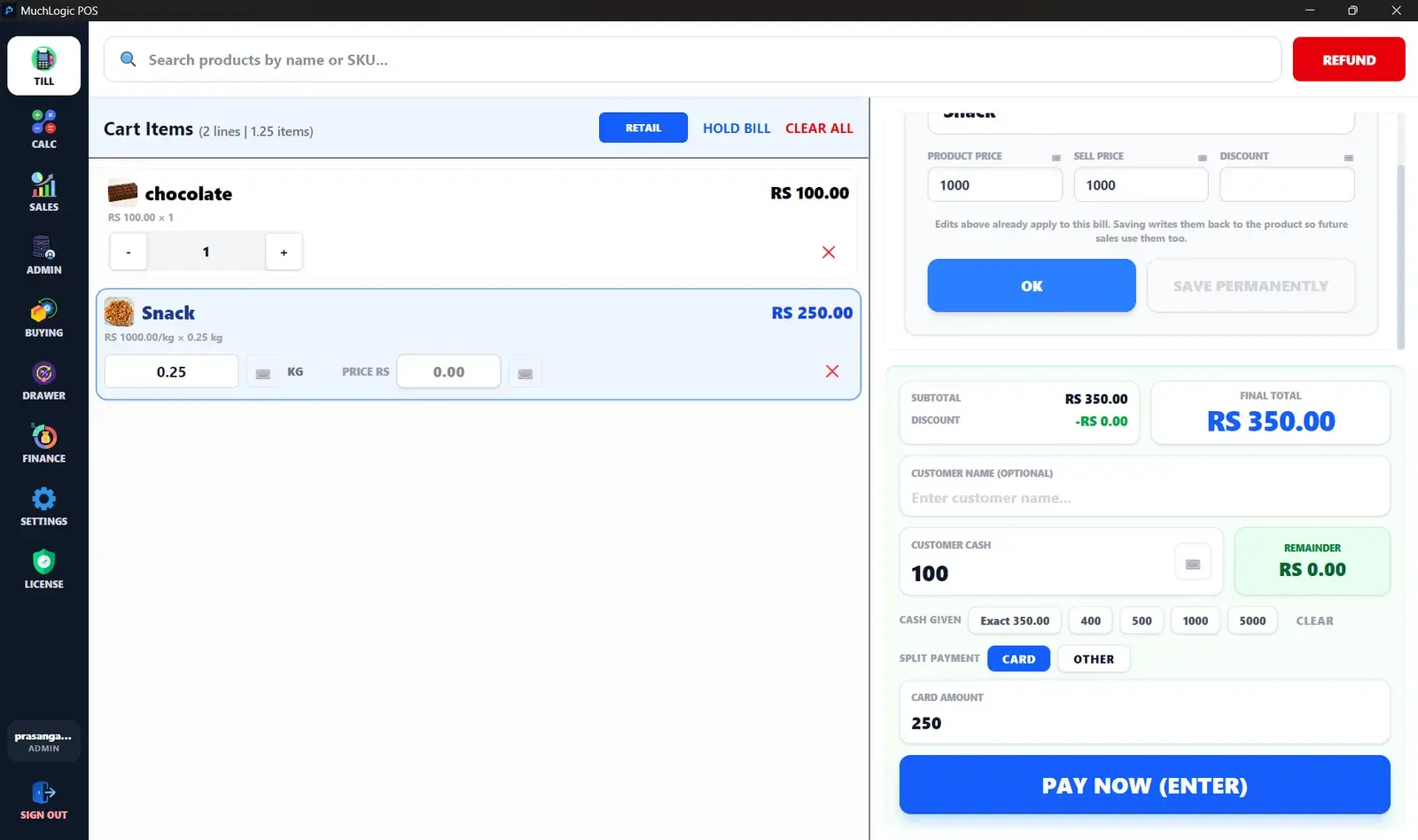
Sales & Checkout
Keyboard-first checkout with split payments, held bills and sales that never get blocked.
Learn moreBarcode Scanning
Scan or search by barcode, SKU, name or brand and keep checkout fast.
Learn moreWeight-Based Pricing
Sell products by the kilogram, with stock tracked to three decimals.
Learn moreBills & Printing
58mm and 80mm thermal printing, silent or by IP, with Sinhala, Tamil and English bills.
Learn moreReturns & Refunds
Refunds as their own document, with partial refunds and correct restocking.
Learn moreProduct Management
One product record for prices, barcodes, brands, photos and languages.
Learn moreInventory Management
Batch and expiry tracking, a stock ledger and one-step stock counts.
Learn moreBuying & Suppliers
A sales-based buying list, purchase orders, receiving and supplier balances.
Learn moreReports
Sales by day, week, month or custom range, with charts and PDF export.
Learn moreFinance, Tax & Till Sessions
Net profit, expenses and income logs, VAT, and cash drawer reconciliation.
Learn moreOffline POS
Runs entirely on the shop PC — no internet or cloud account needed.
Learn moreStaff & Security
Admin and cashier roles, private cost data and an audit log.
Learn moreBackups & Data Protection
Automatic backups, manual export and restore, optional encryption.
Learn moreBe informed
What MuchLogic POS doesn't do
So you can decide with the full picture.
- Single till: multi-terminal sync is currently not supported. MuchLogic POS is one till working against one local server.
- No card processing: Card and Other are recorded payment methods. Nothing connects to a card terminal or payment gateway.
- No emailing or texting: purchase orders, shopping lists and receipts are files the shop sends itself.
MuchLogic POS is configurable for currency and languages, so it fits shops in any country.
Ready to try MuchLogic POS?
Install it, try it free for 7 days, then activate with a licence key from Gumroad.