

Purchasing and Supplier Management for Small Retail
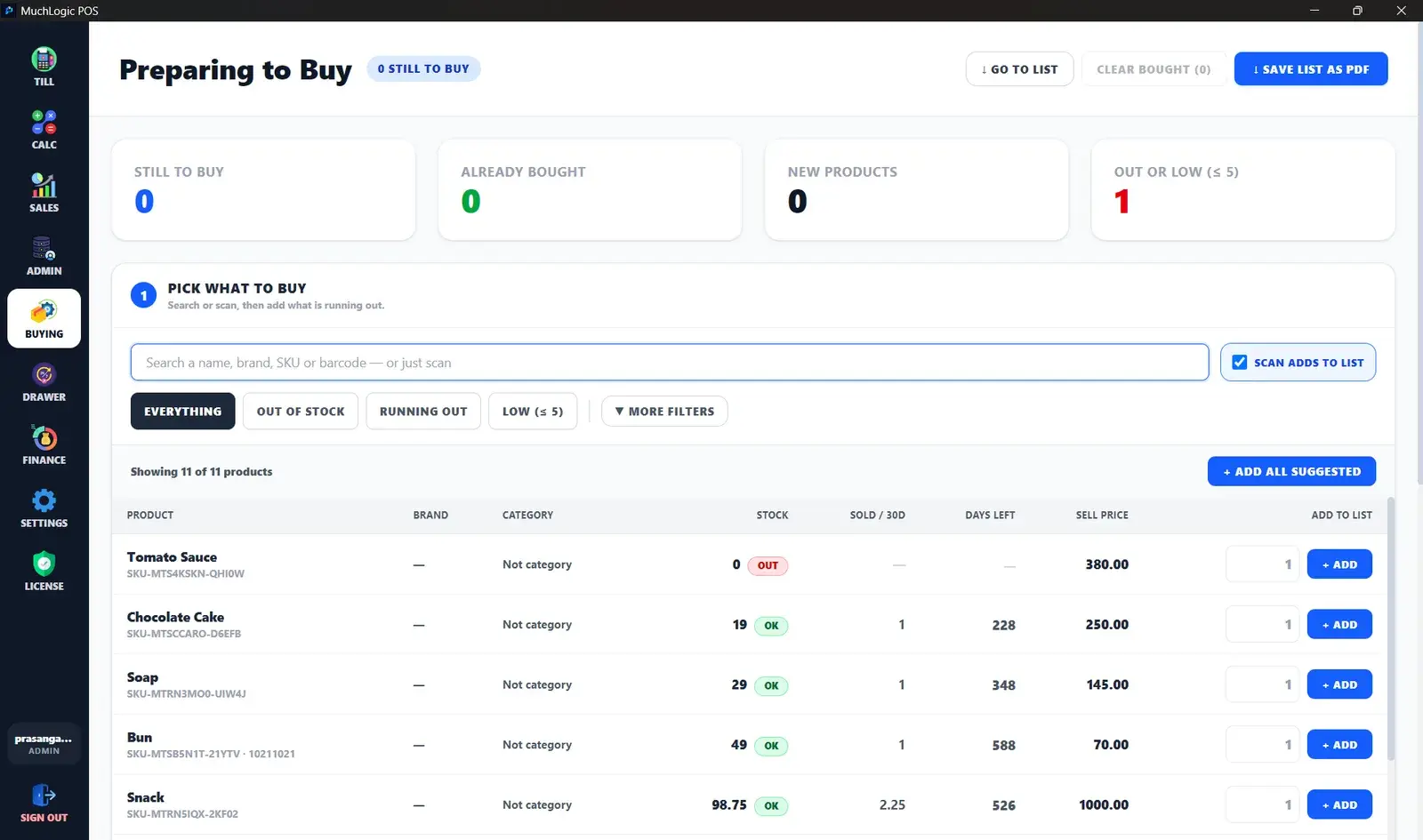
Knowing what to reorder shouldn’t depend on memory. MuchLogic POS turns your real sales into a buying list, then carries the order through to receiving and paying the supplier.
What you can do
- A buying list anyone can use. A checklist that suggests how much to order from real sales — sold per day, days left and cover days — and separates re-buy items from new products.
- Bought and Received. Marking a line “Bought” records the order. “Received” (admin only) adds stock, and part deliveries are tracked.
- Costs and a shopping list. Estimated cost per line and a printable PDF shopping list.
- Suppliers and purchase orders. Statuses Draft, Ordered, Partially received, Received and Cancelled, plus a PDF order document.
- Receiving with lots and expiry. Receiving records the lot number and expiry date.
- Supplier payments and balances. Record payments, see a live “what we owe” balance, and make supplier returns against a specific batch.
Who it's for
- Owners who reorder from a handful of regular suppliers
- Shops that want a clear record of what they owe
Good to know
- MuchLogic POS does not email or text suppliers. Purchase orders and shopping lists are PDF files that you send yourself.
Buying & Suppliers: common questions
How does the buying list decide what to order?
It looks at real sales — units sold per day and days of stock left — against your cover days, and suggests quantities. It keeps re-buy items separate from new products.
Does MuchLogic POS send purchase orders to suppliers?
No. It produces a PDF order document and shopping list that you send to the supplier yourself.
Ready to try MuchLogic POS?
Install it, try it free for 7 days, then activate with a licence key from Gumroad.