

POS Checkout Software for Windows
Checkout is where a shop makes its money, so it has to be the fastest screen in the software. MuchLogic POS is built around a keyboard-first till: find the product, add it to the bill, take payment, print the receipt.
It runs on the shop PC, so a slow or missing internet connection never stops a sale.
What you can do
- Find products instantly. Search by name, SKU, barcode or brand. Every result shows a live stock count — grey normally, amber when low, red at zero.
- Keyboard-first, touch-friendly. Shortcuts (F2, F3, F5, arrow keys and a “+” double-tap) keep a busy cashier fast, and an on-screen numeric keypad is there when you want it.
- Edit a line for one bill. Change the name, price or discount on a single line of a single bill. An admin can save the correction back to the product.
- Retail and Shop prices. Two price modes, with a confirmation before switching so nobody changes it by accident.
- Hold and restore bills. Park a bill, serve the next customer, and bring the first one back later.
- Customers at checkout. Type a customer name with autocomplete from saved customers, or skip it — walk-in sales need no record.
- Split payments. Split a bill across Cash, Card and Other, with quick cash buttons and automatic change calculation.
- Part-paid (“due”) bills. Take a partial payment now and settle the rest later.
- Protection against mistakes. A guard stops the same bill from being checked out twice by accident.
- Optional stock rules. Choose to refuse to bill an item that is out of stock, or one from an expired batch.
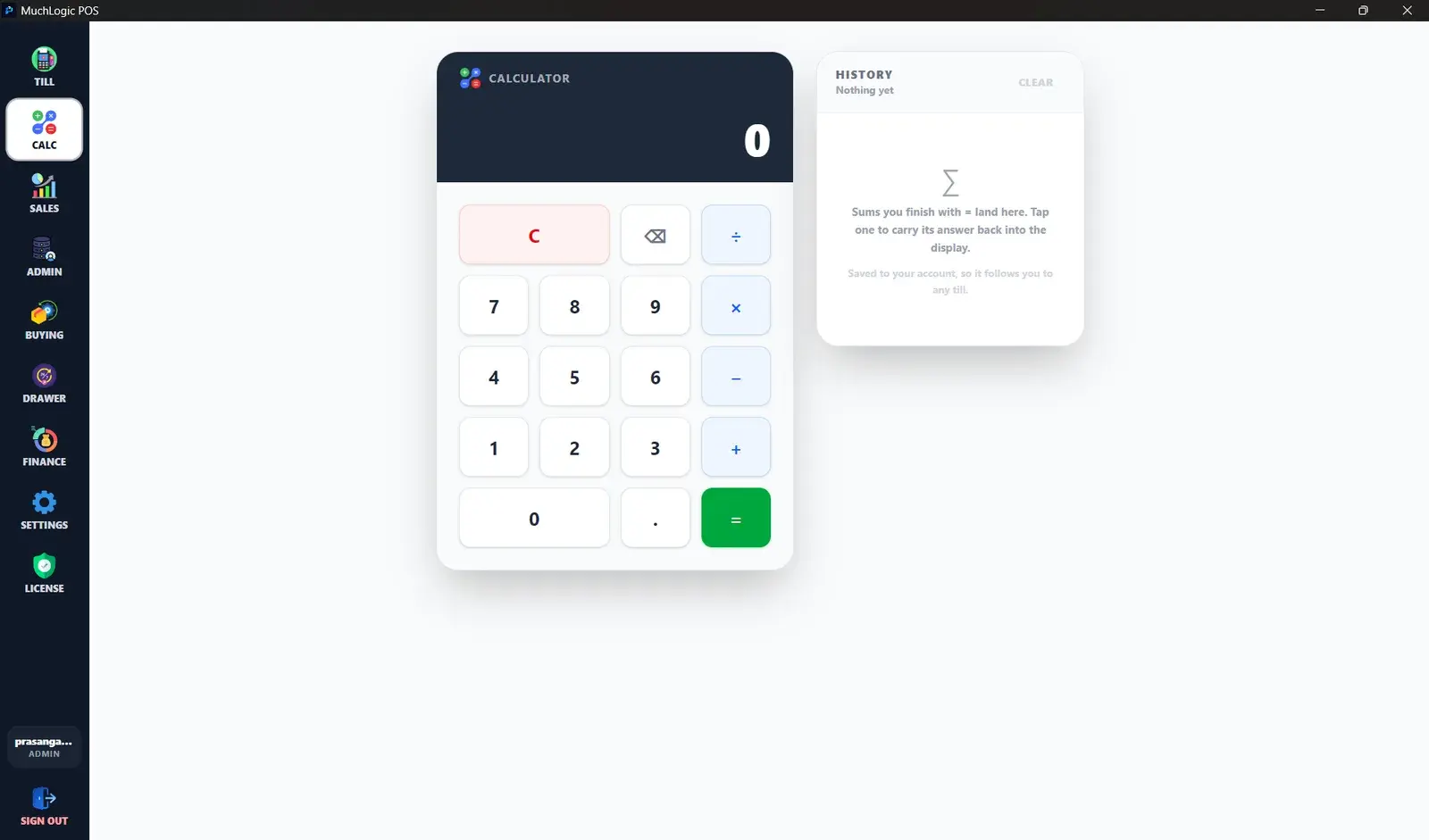
- Built-in calculator. A calculator with saved history for each cashier.
- Never blocks a sale. If the POS server can’t be reached, the sale is queued on the till, the receipt still prints, and it syncs later without double-billing.
- Saved customers. Records with name, phone, email, address and notes. Any cashier can look one up or quick-add one; only an admin can edit or remove one.
Who it's for
- Grocery, convenience and general retail counters
- Shops that sell a mix of packaged and weighed goods
- Busy tills where cashiers work mostly from the keyboard
Good to know
- Card and Other are recorded payment methods. MuchLogic POS does not connect to a card terminal or payment gateway.
- Multi-terminal sync is currently not supported. MuchLogic POS is one till working against one local server.
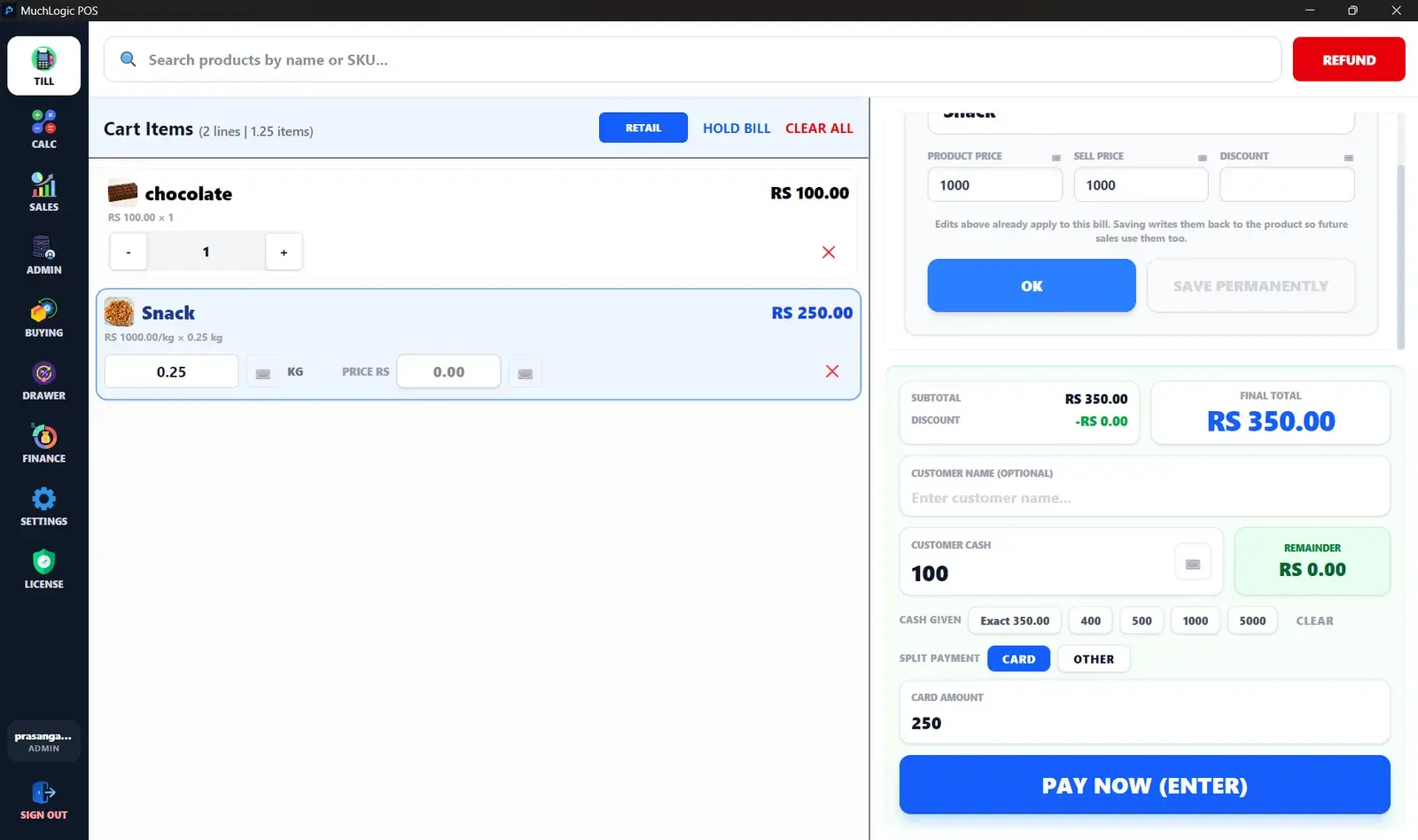
See it
Sales & Checkout in MuchLogic POS
Sales & Checkout: common questions
What is POS checkout software?
POS checkout software is the application a cashier uses to build a bill, calculate the total, take payment and record the sale. Good POS software also updates stock automatically when an item is sold.
Can MuchLogic POS process card payments?
No. Cash, Card and Other are recorded as payment methods on a bill, but MuchLogic POS does not talk to a card terminal or payment gateway.
Can I put a bill on hold?
Yes. You can hold a bill so the cashier can serve someone else, then restore it later.
Ready to try MuchLogic POS?
Install it, try it free for 7 days, then activate with a licence key from Gumroad.