

Inventory Management Software for Retail (Windows)
Running out of your best seller — or holding stock that expires unsold — is expensive for a small retailer. MuchLogic POS combines the point of sale and inventory in one Windows application, so every sale keeps your stock numbers up to date.
What you can do
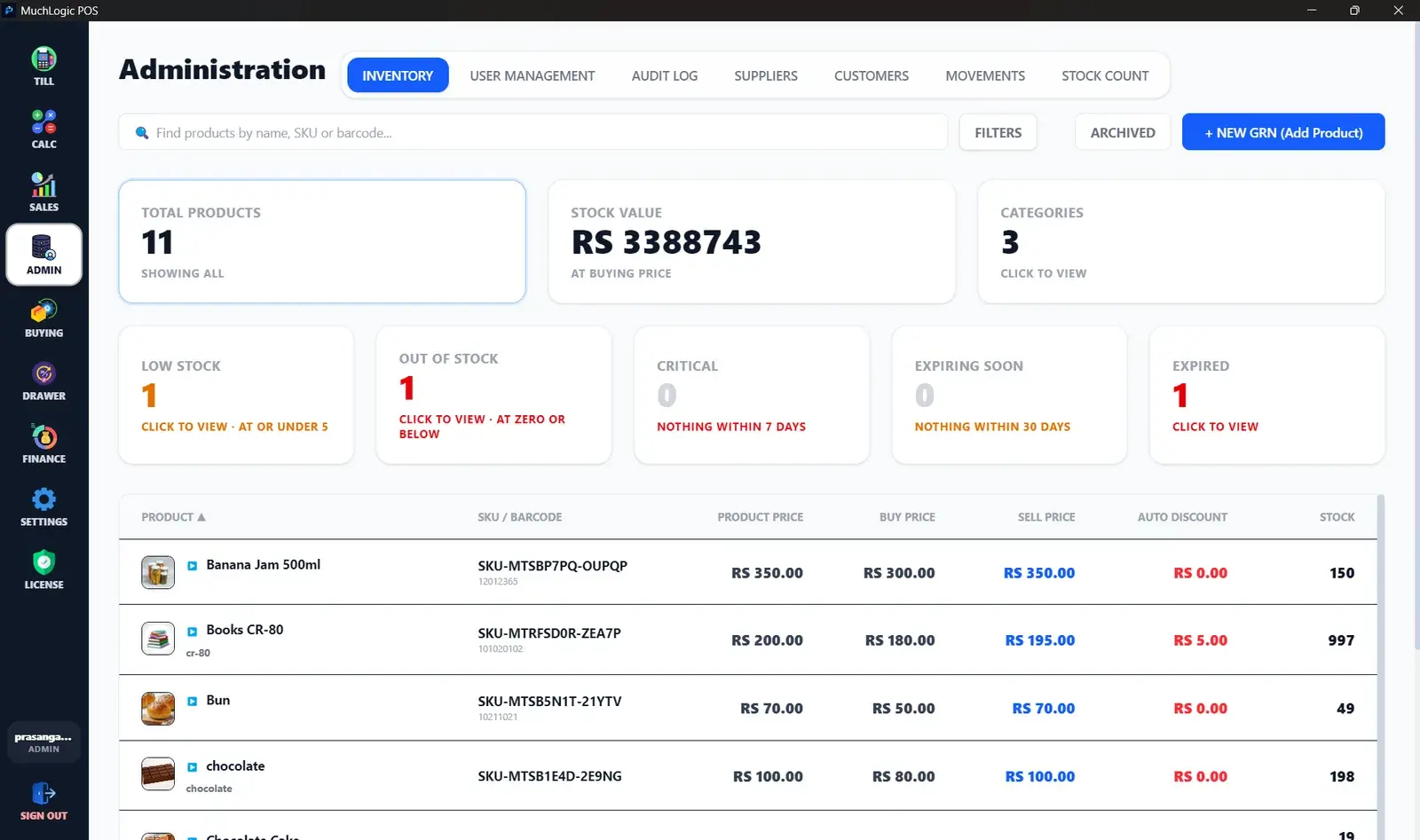
- Batch and lot tracking with expiry. Sales use the batch that expires first, with configurable warning and critical thresholds.
- Write off expired batches. Clear expired stock out of inventory in one action.
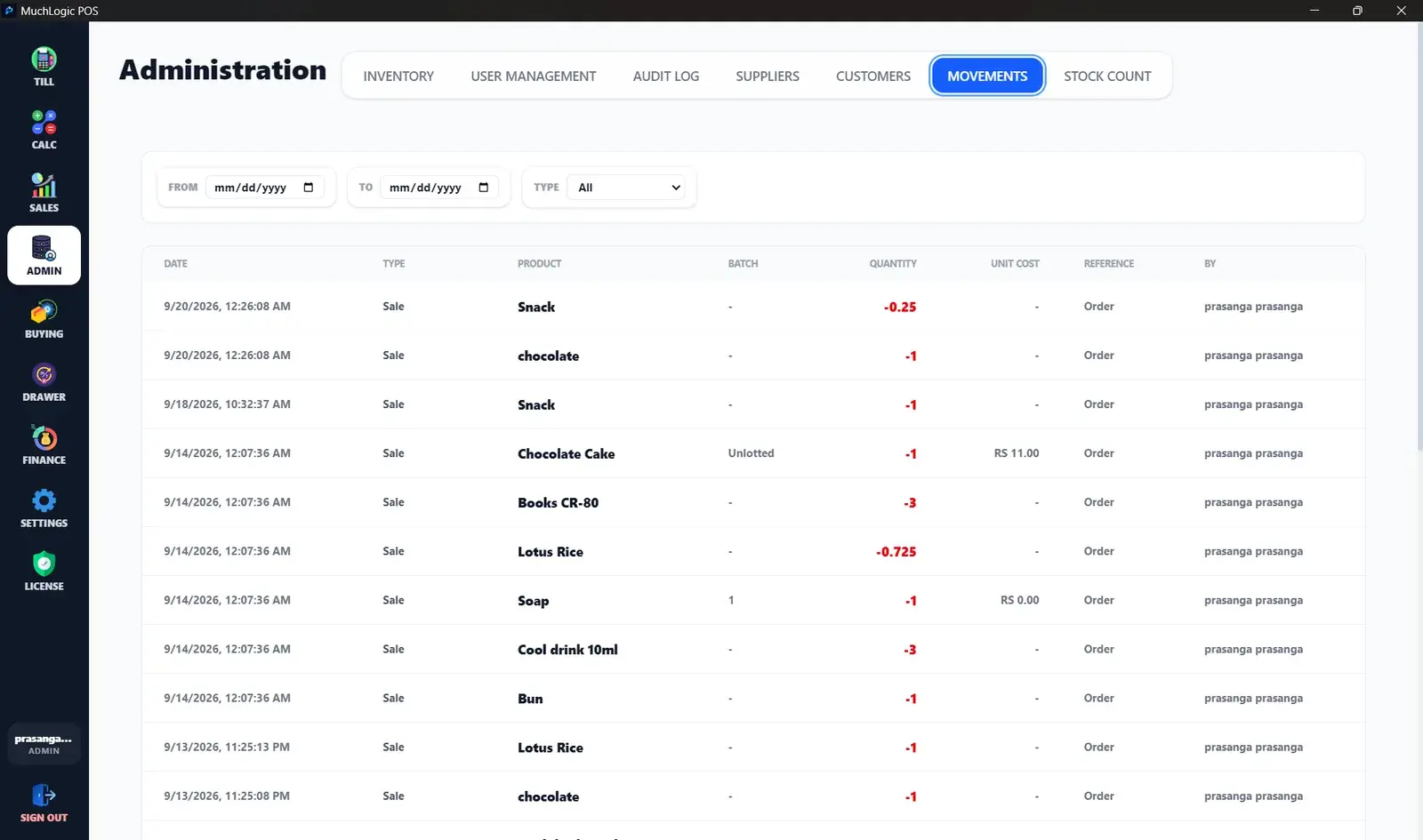
- Stock movement ledger. An append-only record of every stock change with the reason for it.
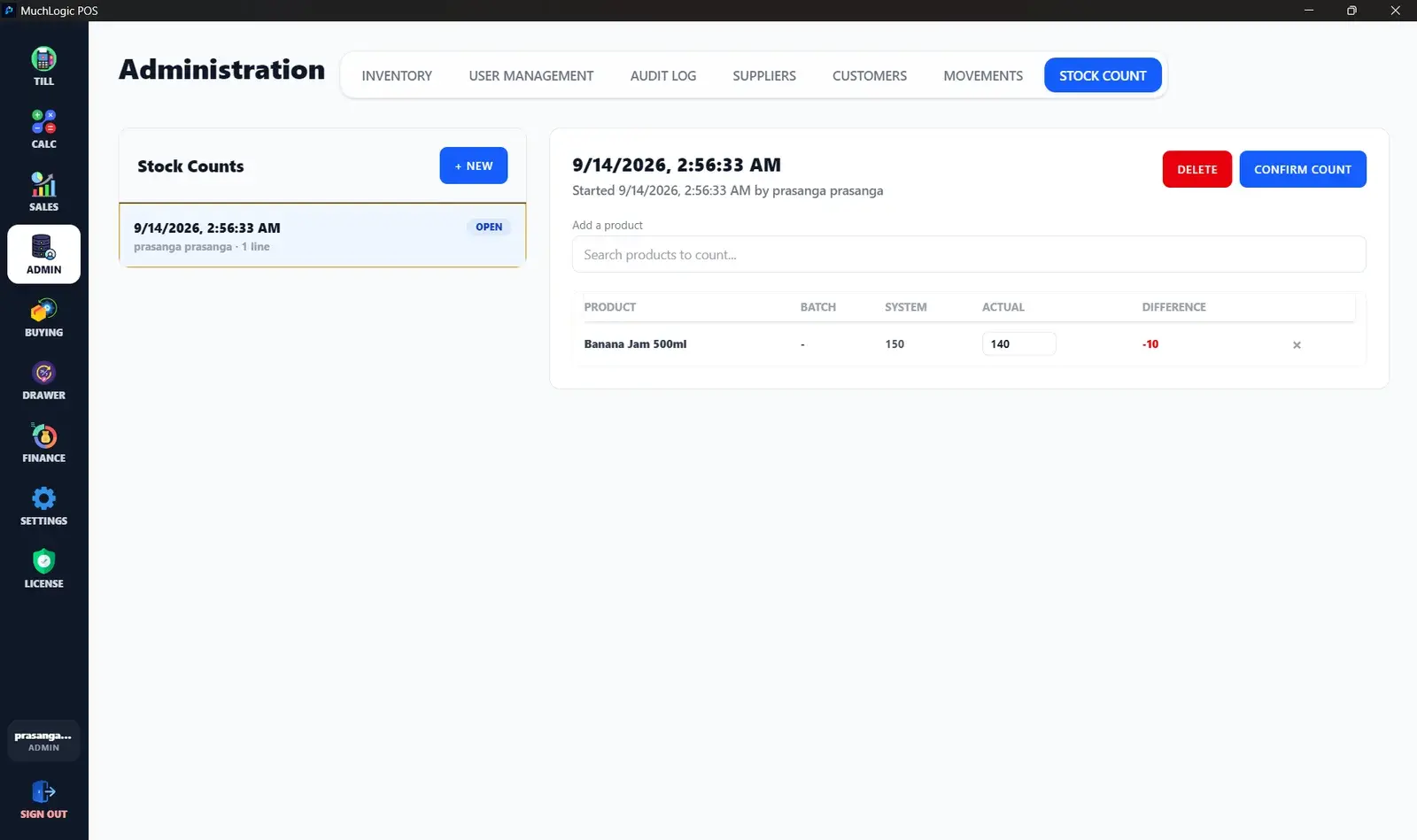
- Stock counts. Count the shelf, review the differences, then confirm to apply all adjustments in one step.
- Filters and stat tiles. Low stock, out of stock, expiring, critical, expired, by brand and category — plus the total stock cost value.
- Live stock at the till. Stock counts show on every search result, coloured by level.
- Optional stock rules. Refuse to bill an item that is out of stock or from an expired batch.
Who it's for
- Shops that sell food and other items with expiry dates
- Small shops that count stock by hand and want a reliable system
- Retailers who need to know when to reorder
Related features
See it
Inventory Management in MuchLogic POS
Inventory Management: common questions
What is inventory management software?
It records what products you have, how many, and how that changes as you buy and sell. In a POS, sales reduce stock automatically, which removes a lot of manual counting.
How does MuchLogic POS handle expiry dates?
Stock is tracked in batches with expiry dates. Sales draw from the batch that expires first, warning and critical thresholds are configurable, and expired batches can be written off.
Why combine inventory and POS in one system?
When the till and the stock list are separate, they drift apart. A combined system updates stock at the moment of sale. Read more: managing inventory in a small retail store.
Ready to try MuchLogic POS?
Install it, try it free for 7 days, then activate with a licence key from Gumroad.