

For Windows 10 & 11 · Offline-first · 7-day free trial
Powerful POS for modern retail
MuchLogic POS is an offline-first point-of-sale and inventory management system for small and medium-sized retail businesses on Windows.
Sell products, manage inventory, scan barcodes, handle weight-based products and monitor your business with a simple desktop POS system.
Install it from the Microsoft Store, like any other trusted Windows app.
- Available on the Microsoft StoreInstall it the trusted Windows way
- Secure checkoutPayments handled by Gumroad
- 7-day free trialTry it before you buy
- Runs offlineNo internet or cloud account needed
- Documentation & supportGuides and a real support inbox
Why MuchLogic?
A point of sale that keeps working
Designed for small and medium-sized retail businesses that want sales, inventory and reports in one Windows application.
Offline-first
Runs entirely on the shop PC. No internet or cloud account is needed, and a sale is never blocked.
Sales and stock in one place
Every sale updates inventory, with batch and expiry tracking so the earliest-expiring stock sells first.
Made for real shops
Barcode scanning, weight-based products and receipts in Sinhala, Tamil or English on 58mm and 80mm printers.
Automatic backups
A backup is made automatically when the app opens and then every 24 hours while it stays open, and you can also copy each one to a USB drive or another folder.
Free updates included
Pay once. Every update is included in your licence at no extra cost, with no subscription.
Try before you buy
A 7-day free trial, then a licence key from Gumroad that activates online and keeps working offline.
Features
Everything the counter needs
From the till to the stockroom to the books. Each capability has its own page with the details.
Sales & Checkout
Keyboard-first checkout with split payments, held bills and sales that never get blocked.
Learn moreBarcode Scanning
Scan or search by barcode, SKU, name or brand and keep checkout fast.
Learn moreWeight-Based Pricing
Sell products by the kilogram, with stock tracked to three decimals.
Learn moreBills & Printing
58mm and 80mm thermal printing, silent or by IP, with Sinhala, Tamil and English bills.
Learn moreReturns & Refunds
Refunds as their own document, with partial refunds and correct restocking.
Learn moreProduct Management
One product record for prices, barcodes, brands, photos and languages.
Learn moreInventory Management
Batch and expiry tracking, a stock ledger and one-step stock counts.
Learn moreBuying & Suppliers
A sales-based buying list, purchase orders, receiving and supplier balances.
Learn moreReports
Sales by day, week, month or custom range, with charts and PDF export.
Learn moreFinance, Tax & Till Sessions
Net profit, expenses and income logs, VAT, and cash drawer reconciliation.
Learn moreOffline POS
Runs entirely on the shop PC — no internet or cloud account needed.
Learn moreStaff & Security
Admin and cashier roles, private cost data and an audit log.
Learn moreBackups & Data Protection
Automatic backups, manual export and restore, optional encryption.
Learn moreSee it
MuchLogic POS in use
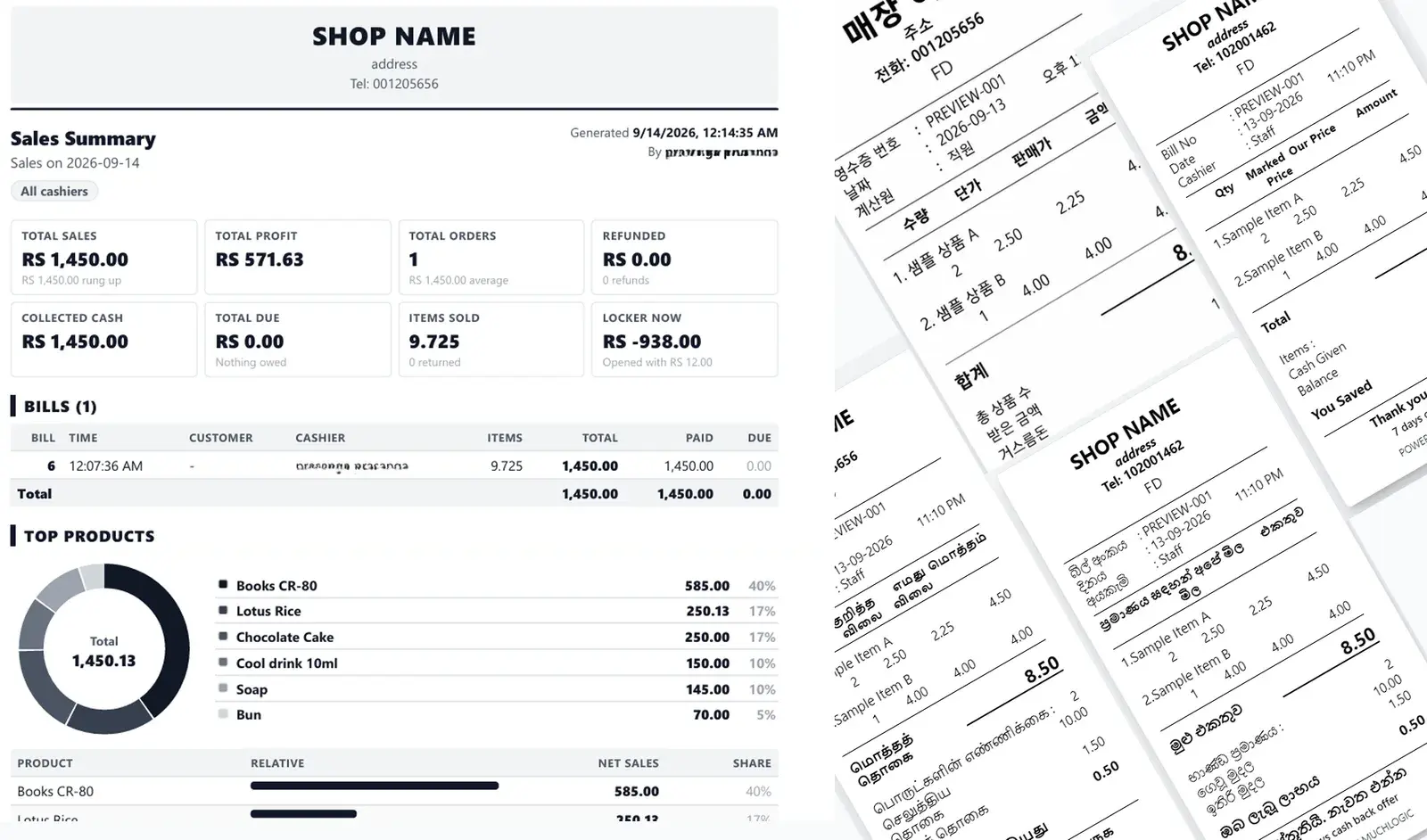
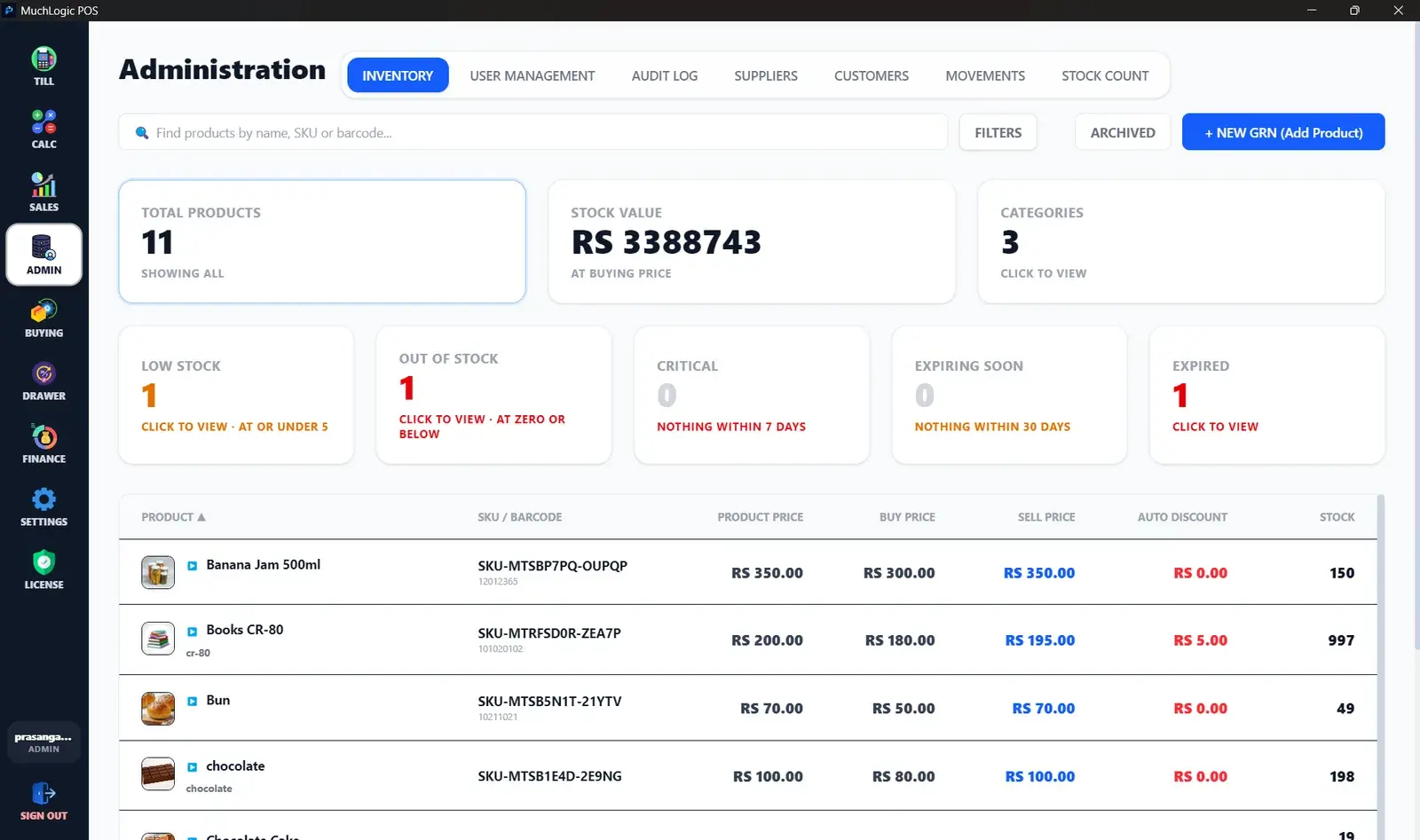
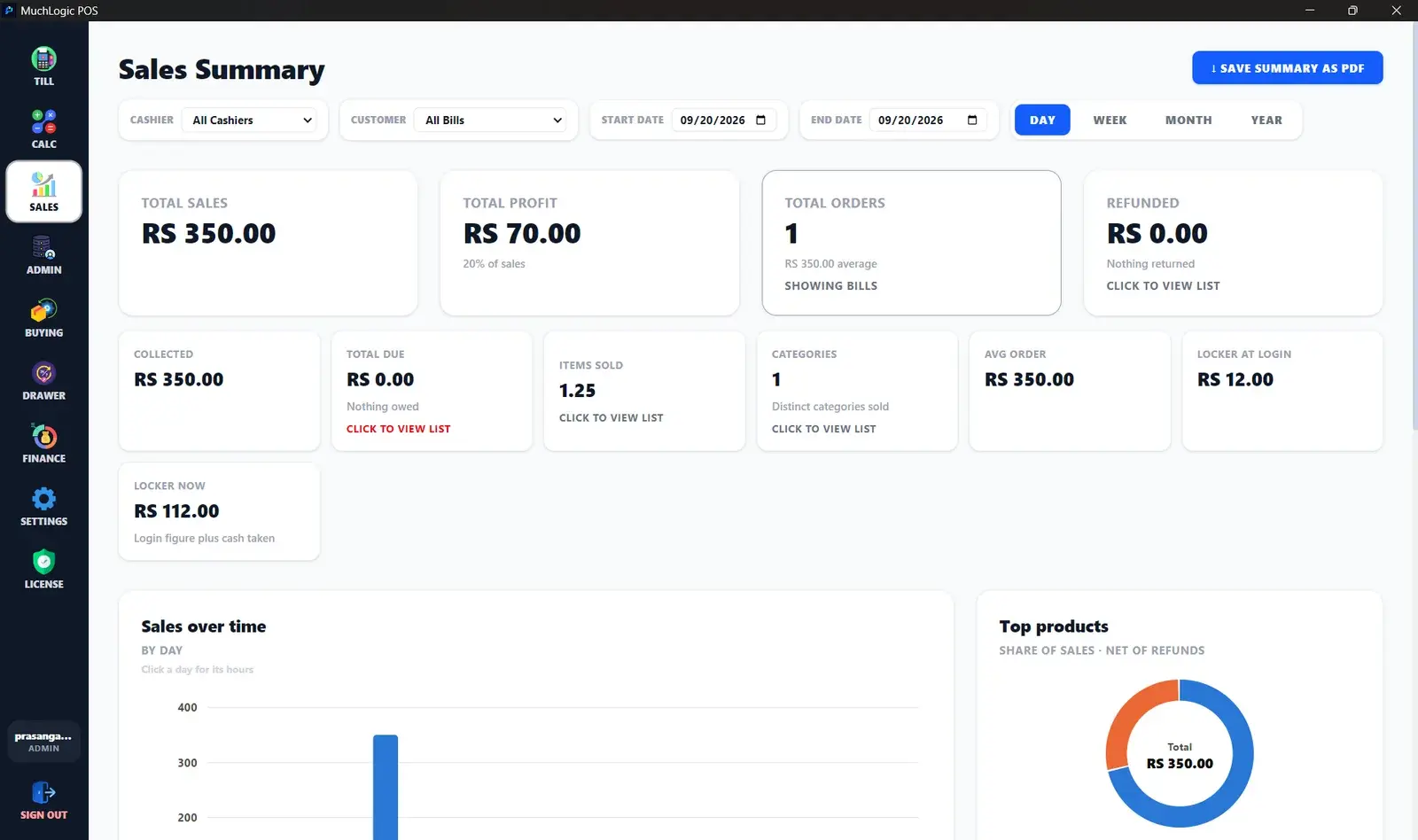
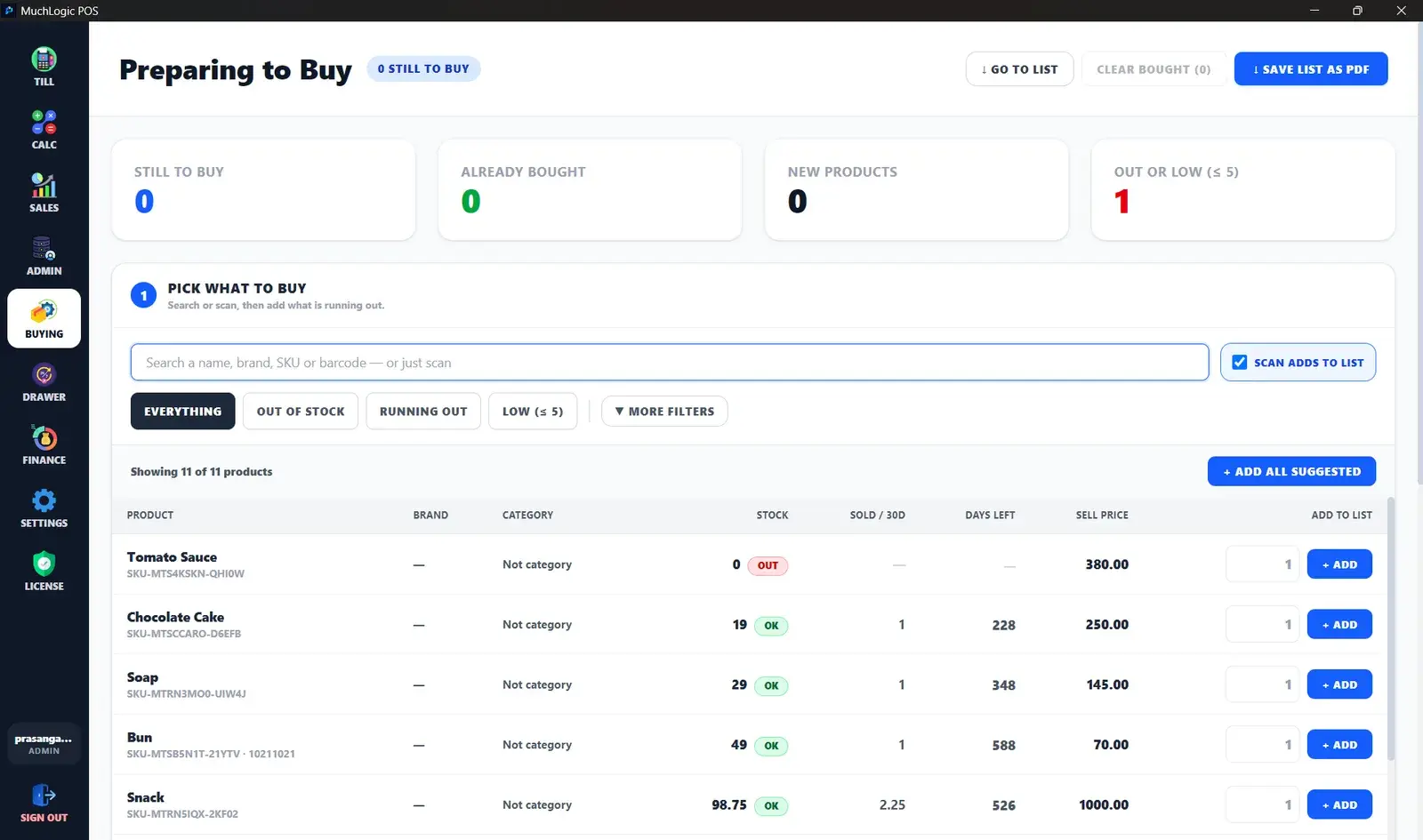
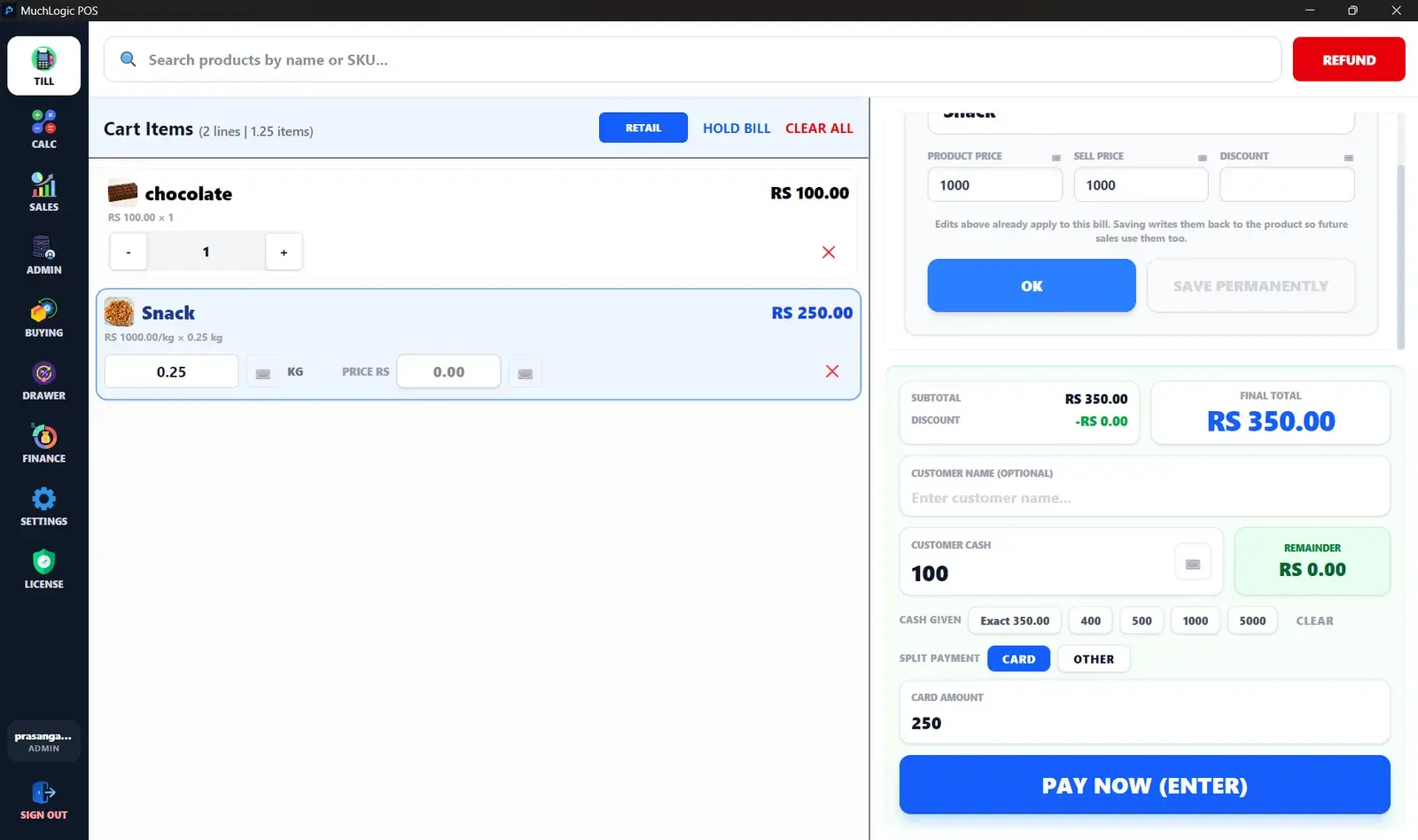
A printed MuchLogic POS sales summary report next to receipt previews in several languages, including Sinhala and Tamil. MuchLogic POS inventory screen with low stock, out of stock, expiring and expired tiles and a product stock list. MuchLogic POS sales summary with total sales, profit, orders and refunds, a sales-over-time chart and a top-products chart. MuchLogic POS Preparing to Buy screen showing stock, units sold in 30 days and days of stock left for each product
How it works
From download to first sale
- 1
Install
Use the Microsoft Store on Windows 10 or 11.
- 2
Try it free for 7 days
Sign up with your shop name, your name and an email, then add products and make real sales.
- 3
Buy and activate
Check out with Gumroad. When the trial ends, enter your licence key in the pop-up. It activates online, then keeps working offline and re-checks the licence about once a day whenever it is online.
At a glance
MuchLogic POS in a nutshell
The essential facts, in plain text.
- Product
- MuchLogic POS
- Category
- Point-of-sale (POS) software
- Platform
- Windows 10 / Windows 11 (x64)
- Get the app
- Microsoft Store
- Free trial
- 7-day free trial
- Support
- support@muchlogic.com
- Documentation
- Getting started, installation and licensing guides
Pricing
One licence. No subscription.
Lifetime licence
MuchLogic POS
Rs 6,000paid once · LKR
Includes a 7-day free trial before you buy
- Sales and checkout, with split payments and held bills
- Barcode scanning and weight-based products
- Inventory with batch and expiry tracking
- Returns and refunds
- Receipts in Sinhala, Tamil or English on 58mm and 80mm printers
- Buying list, purchase orders and supplier balances
- Reports, finance and tax
- Runs offline; automatic backups, with an optional copy to a USB drive or folder
- Free updates included, at no extra cost
- One licence key works on one computer
- Licence key delivered by email
Secure checkout by Gumroad. Price shown in Sri Lankan rupees; Gumroad charges in US dollars, so the rupee amount may change a little.
Details on the pricing page.
FAQ
Common questions
What is MuchLogic POS?
MuchLogic POS is an offline-first point-of-sale and inventory management system for small and medium-sized retail businesses on Windows.
Who is MuchLogic POS for?
Small and medium-sized retail businesses that want one Windows application for sales, inventory, barcode scanning, weight-based products, receipts and reports. See POS software for small business.
Does MuchLogic POS work offline?
Yes. It runs entirely on the shop PC with no internet or cloud account needed. A licence key activates online, then MuchLogic POS keeps working offline and re-checks the licence about once a day whenever it is online. See Offline POS.
Does MuchLogic POS have automatic backup?
Yes. MuchLogic POS makes an automatic backup when the app opens and then every 24 hours while it stays open, and 30 days of backups are kept by default, in the app's own data folder on the same PC. In Settings you can switch the automatic backup off, or also copy each backup to a USB drive or another folder, and you can see when the last backup ran and back up on demand. It also supports manual export and restore. A manual export can be protected with a passphrase; the automatic copies are not encrypted, so keep the PC secure and keep a copy on a USB drive too. Windows can delete the app's data folder, including these automatic backups, if you uninstall or reset the Microsoft Store version. Before uninstalling, export a backup to your own folder. See backups and data protection.
Do I have to pay for updates?
No. Free updates are included: every update to MuchLogic POS comes with your lifetime licence, with no subscription and no extra cost. We keep releasing updates with fixes and improvements. Installed from the Microsoft Store, the app updates through the Store. If you installed with the direct installer, get the newest installer from the download page.
Is there a free trial?
Yes, a 7-day free trial. You start it the first time you open MuchLogic POS, by entering your shop name, your name and an email address (if you already own a licence key you can skip this). After the trial you need a licence key. See pricing.
How do I activate my licence?
You don't need a key during the 7-day free trial. After you buy, Gumroad emails you a licence key. When the trial ends, MuchLogic POS shows a pop-up window asking for it — enter the key there and activate to log in. Activation needs an internet connection; afterwards MuchLogic POS keeps working offline and re-checks the licence about once a day whenever it is online. Full steps: activate a MuchLogic POS licence.
Can I use MuchLogic POS on several tills at once?
Not at the moment. Multi-terminal sync is currently not supported: MuchLogic POS is one till working against one local server.
What are the system requirements?
MuchLogic POS runs on Windows 10 and Windows 11 (x64). See the full list on the system requirements page.
Ready to try MuchLogic POS?
Install it, try it free for 7 days, then activate with a licence key from Gumroad.