

Weight-Based POS Software for Windows
Grocers, produce sellers and bulk-goods shops sell some items by the piece and others by weight. A POS that only understands fixed-price items forces awkward workarounds.
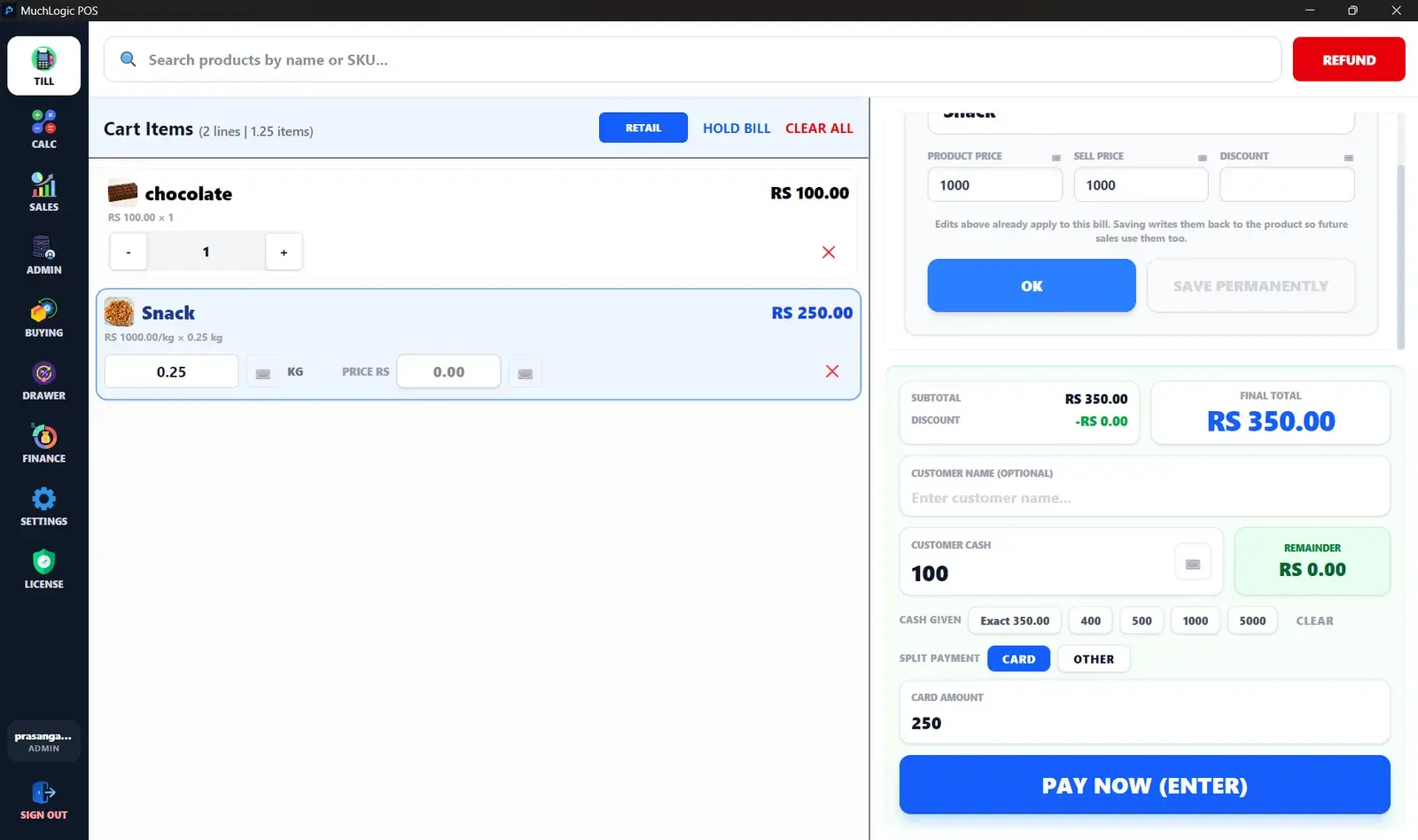
In MuchLogic POS a product can be flagged as weight-based, so it is sold by the kilogram in the same bill as everything else.
What you can do
- Sold by the kilogram. Mark a product as weight-based when you add it and sell it by weight.
- Precise stock. Stock for weight-based products is tracked to three decimal places.
- One bill for everything. Weighed and packaged products go on the same sale, with the same payments and receipt.
- Adjust a line when needed. Edit the price or discount on a single line for one bill, without changing the product.
Who it's for
- Grocery and produce shops
- Bulk food, spice and dry-goods stores
- Any retailer that sells loose items by weight
Related features
Weight-Based Pricing: common questions
What is weight-based pricing in a POS system?
The price of an item is calculated from its weight and a price per unit of weight (in MuchLogic POS, per kilogram) instead of being a fixed price per item.
How precise is stock for weight-based products?
MuchLogic POS tracks stock for weight-based products to three decimal places.
Ready to try MuchLogic POS?
Install it, try it free for 7 days, then activate with a licence key from Gumroad.