

POS Receipt Printing: 58mm & 80mm Thermal
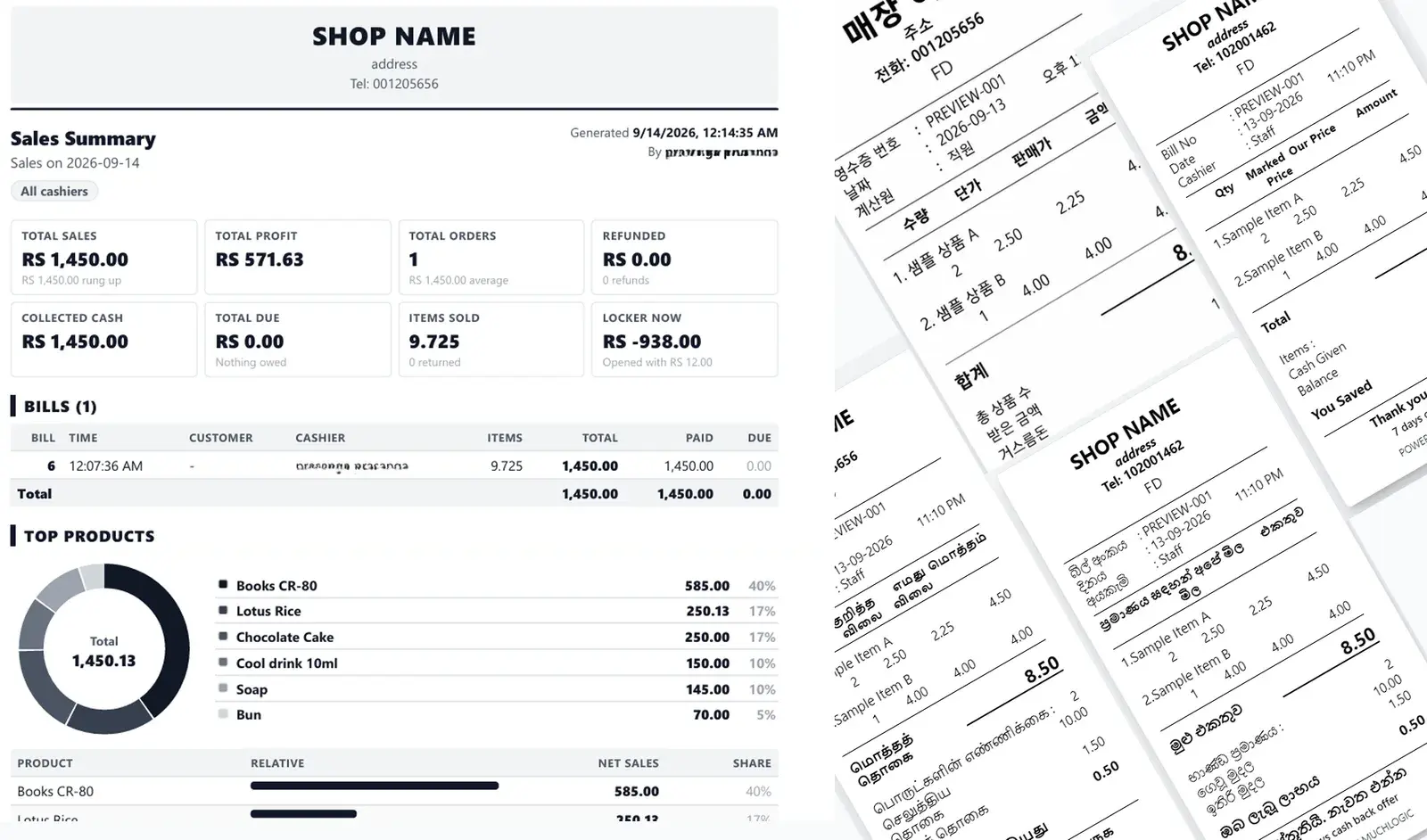
A receipt is part of your shop’s identity. MuchLogic POS gives you full control over how bills look and how they print — including languages many POS systems can’t print correctly.
What you can do
- Thermal printers, 58mm and 80mm. Print to the two most common receipt widths.
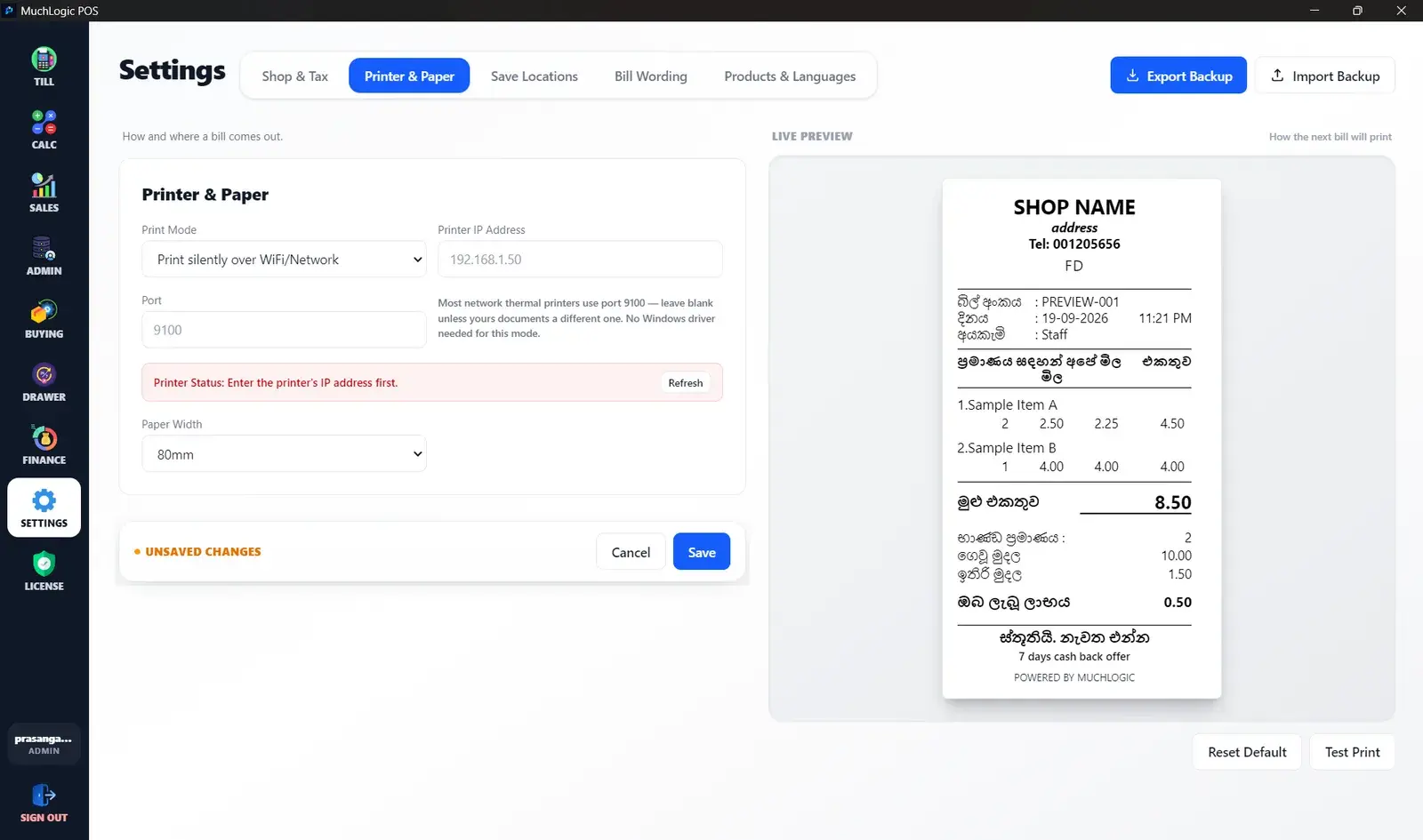
- Three print modes. A normal print dialog, silent printing to a Windows printer, or silent printing to a network printer by IP address with no driver needed (port 9100).
- Printer tools. A printer status check, a test print, and a queue that stops two print jobs colliding.
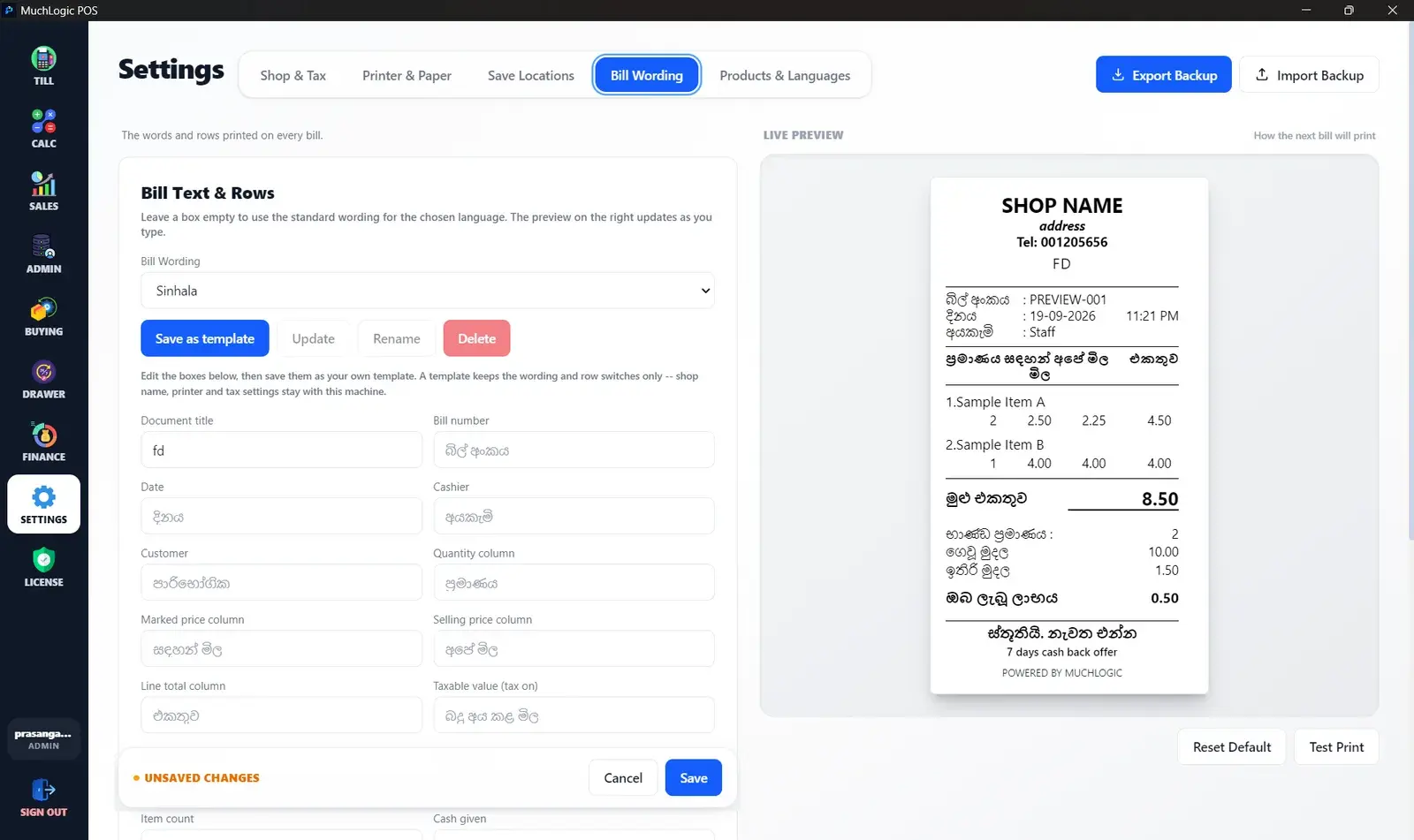
- Sinhala and Tamil print correctly. Bill wording can be Sinhala, Tamil or English, with every label editable and each row switchable. Save wording as named templates.
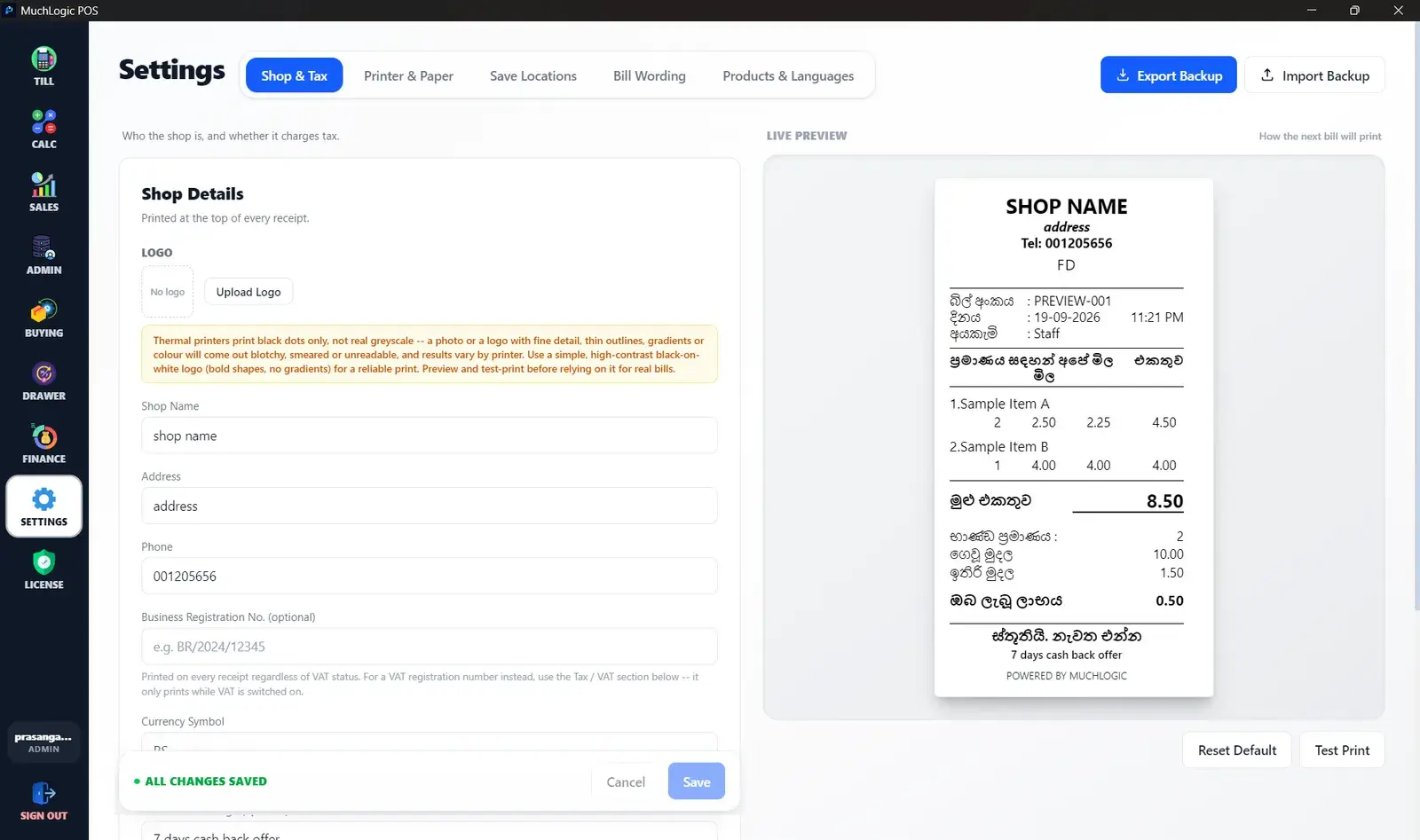
- Your shop on the bill. Shop logo (three sizes), name, address, phone and a notice message.
- Product names in your languages. Configure the languages your shop uses (Sinhala and Tamil are presets, and others can be added), with one language for the cart and another for the bill.
- Marked price and savings. Show the marked price and selling price with a “savings” line, or use a single-price mode.
- Bill numbers that never restart. A customer’s old receipt can never clash with a new one.
- Reprint any bill. Bring up a bill and print it again.
Who it's for
- Shops that serve customers in Sinhala, Tamil or English
- Counters using compact 58mm or standard 80mm thermal printers
- Shops that print to a shared network printer
Related features
See it
Bills & Printing in MuchLogic POS
Bills & Printing: common questions
Which receipt printers does MuchLogic POS support?
Thermal printers in 58mm and 80mm widths, through a print dialog, silently to a Windows printer, or silently to a network printer by IP address (port 9100) with no driver.
Does MuchLogic POS print Sinhala and Tamil?
Yes. Sinhala and Tamil print correctly, and bill wording can be Sinhala, Tamil or English with every label editable.
Can I reprint an old bill?
Yes, you can reprint any bill.
Ready to try MuchLogic POS?
Install it, try it free for 7 days, then activate with a licence key from Gumroad.