

POS Returns and Refunds Software
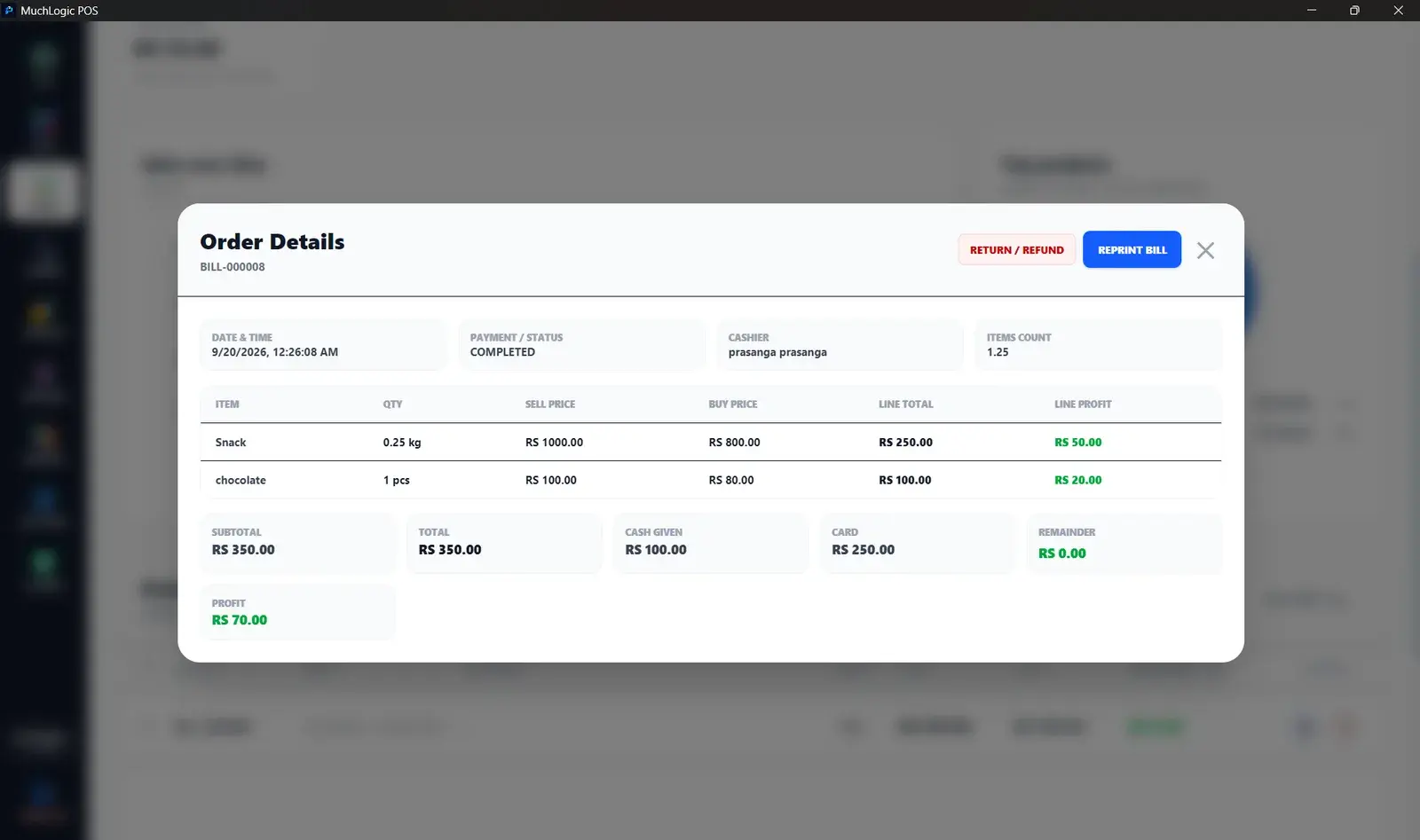
Returns are where many small-shop systems get messy. MuchLogic POS treats a refund as a separate document, so the original bill stays exactly as it was issued.
What you can do
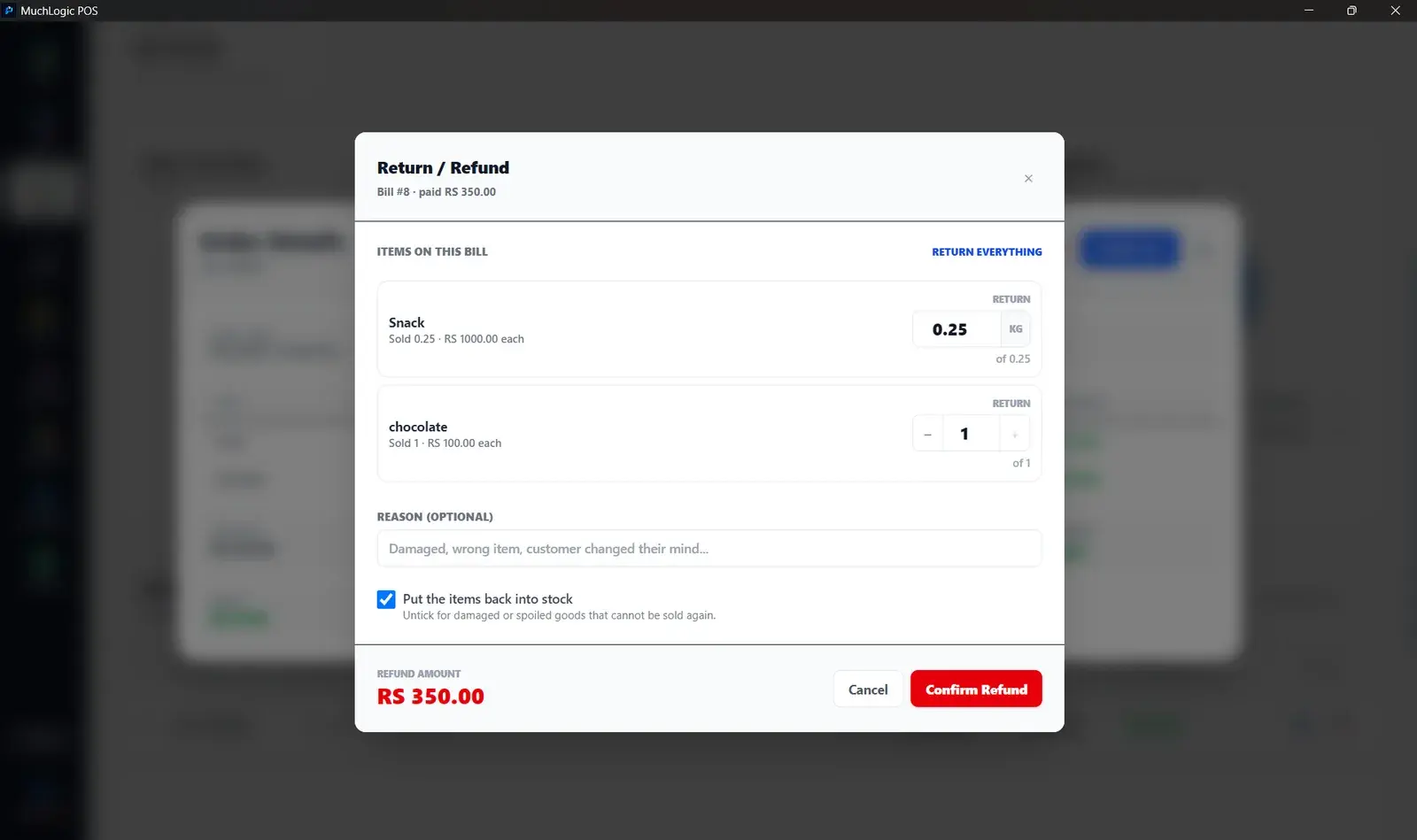
- Refund as its own document. The original bill stays reprintable exactly as issued.
- Partial refunds. Refund some items or quantities, capped at what is still returnable.
- Restock — or not. Choose whether refunded items go back into stock, for example not for damaged goods.
- Restocks go to the right batch. Restocked items return to the same batches the sale drew from.
- Separate refund slip numbering. Refunds have their own number series.
- One-click refund from the till. Find the bill by number or customer name, or list recent bills.
Who it's for
- Shops that accept returns and need clean records
- Owners who want an audit trail for every refund
Related features
See it
Returns & Refunds in MuchLogic POS
Returns & Refunds: common questions
What happens to stock when I refund an item?
You choose whether to restock it. If you do, it goes back into the same batches the sale drew from. For damaged goods you can refund without restocking.
Is the original bill changed by a refund?
No. A refund is its own document, so the original bill stays reprintable exactly as issued.
Ready to try MuchLogic POS?
Install it, try it free for 7 days, then activate with a licence key from Gumroad.